Léa
Client prospecting ManagerFinds decision makers and books meetings.
- Sources leads that match your ICP
- Writes a short, personal first email
- Follows up and books the demo
search_leads_apolloenrich_person_apollodraft_emailschedule_follow_up
Norixia gives your brand a team of AI sales agents that find decision makers, write personal cold emails, follow up, sort the replies and land backlinks and partnerships. You approve. They execute, day and night.
No credit card needed · Bring your own API keys · Live in about 2 minutes
Léa got a reply
Thomas, Acme: “Happy to, Tuesday 2 pm?”
Plugs into the stack you already pay for. Your keys, your mailboxes, your data.
 Apollo B2B data
  Firecrawl Web crawling
  Tavily Web search
 Meet the team
Each project gets its own team, hired in one click. Every agent has a role, a mailbox, a model, an autonomy level and its own KPIs. One of them manages the others.
Finds decision makers and books meetings.
Finds sites and earns links to yours.
Finds partners, resellers and integrations.
Hover a card to tilt it, click to flip it. Need another profile? Create a custom agent →
How it works
No playbook to write, no CRM to configure. Paste your website and Norixia does the setup with you.
New project setup wizard
Nori is exploring lumen-analytics.com
0 pages read · offers, pricing and about first
Discussions
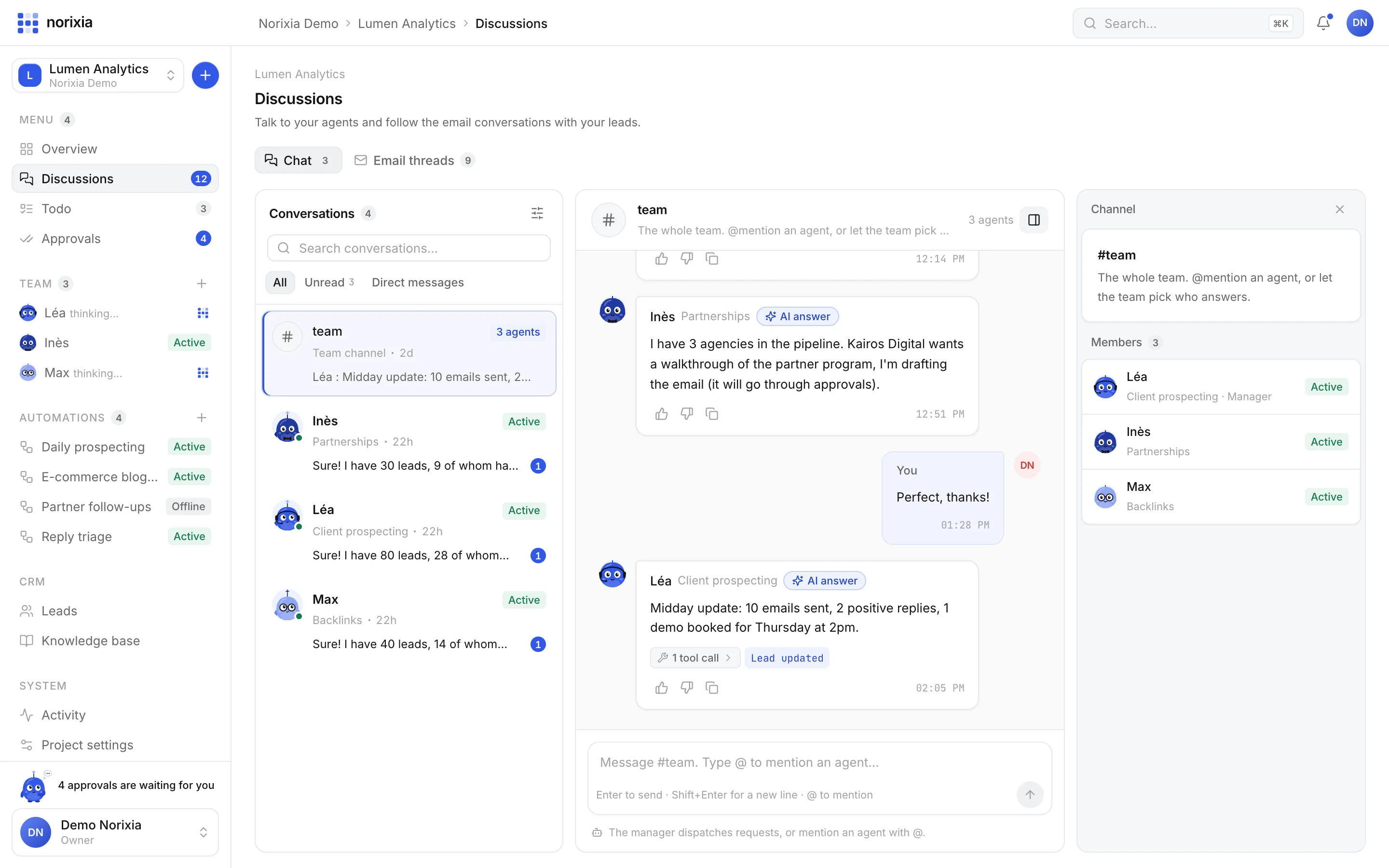
A chat that feels like Slack, except your colleagues are agents with real tools. Ask for a status update, give a brief, set up a routine in one sentence.
#team
Approvals
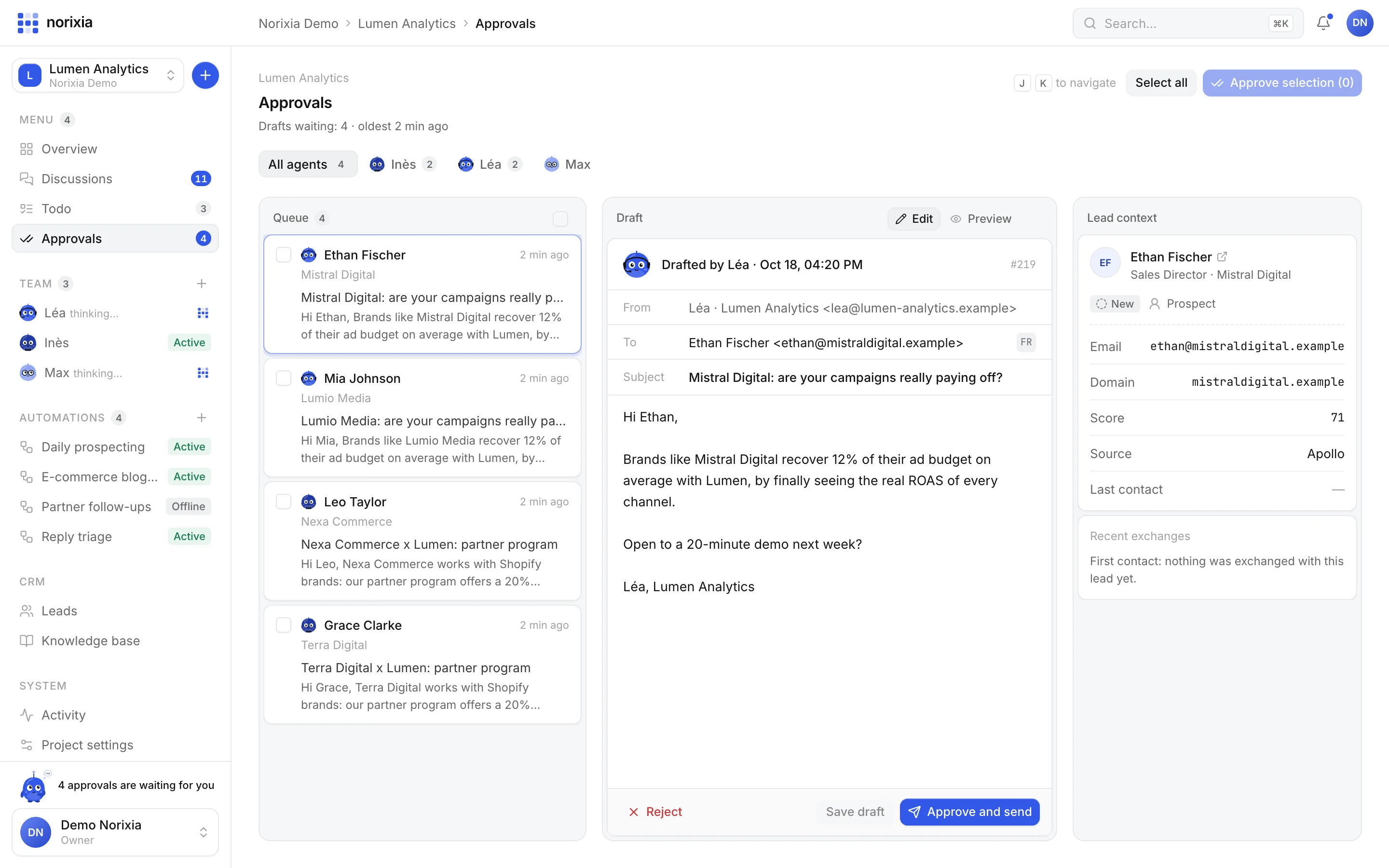
Start in Validation: every email waits in a queue with the lead's context. When you trust an agent, switch it to Autopilot and it sends on its own, within quotas and sending hours.
Every email waits for your approval.
Queue 3
Romain Roux
just nowMistral Digital
Mistral Digital: are your campaigns really paying off?
Sarah Michel
just nowGaïa Agency
Gaïa Agency × Lumen: partner programme
Olivier David
just nowRevue Horizon
A data-backed guide for your e-commerce readers
All caught up
Inbox zero. Nice work, team!
Drafted by Léa
Lead score 71Hi Romain,
Brands like Mistral Digital recover 12% of their ad budget on average with Lumen, by finally seeing the real ROAS of every channel.
Open to a 20-minute demo next week?
Léa, Lumen Analytics
Routines
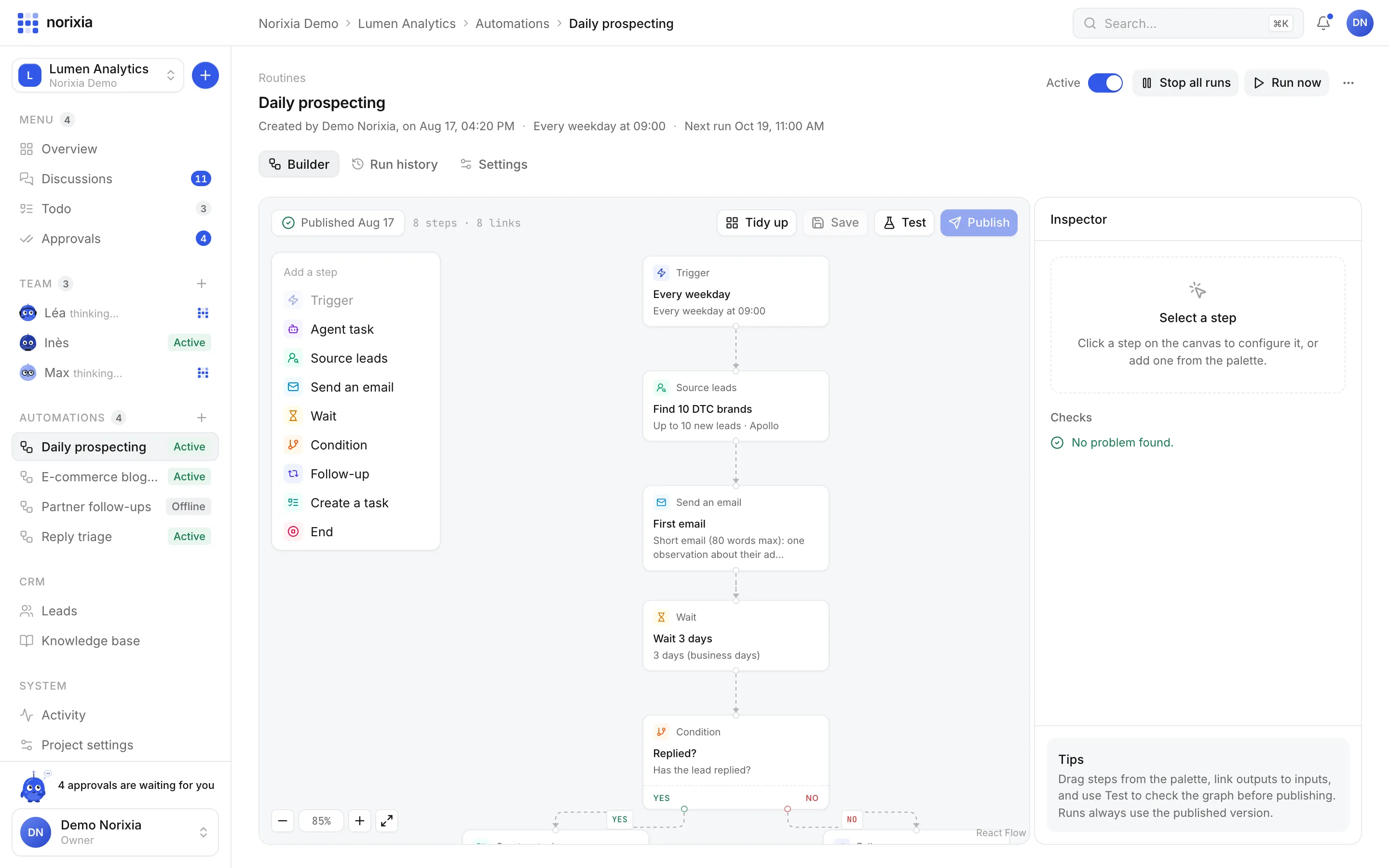
A visual builder for your outbound: triggers, agent tasks, lead sourcing, emails, waits, conditions and follow-ups. The engine really executes the graph, step by step, with every run logged.
Every week on Mon–Fri ▾ at 09:00 ▾ GMT+2, find 10 leads ▾
Add a step
Every weekday
Mon–Fri at 09:00
Find 10 DTC brands
Up to 10 new leads · Apollo
First email
80 words max, one insight
Wait 3 days
Business days only
Has replied?
The lead replied
Book the demo
Offer 3 time slots
Bump
Polite, adds one new angle
Run #1042
RUNNINGLast 1h
3
24h
41
Success
98%
TRIGGER
On a schedule
Hourly, daily, weekdays, weekly or cron.
TRIGGER
When a lead replies
Filter by the AI classification of the reply.
TRIGGER
When a lead is created
From an agent, an import or the API.
TRIGGER
When an email bounces
Clean up and try another contact.
TRIGGER
Manually
“Run now”, whenever you want.
EmailGuard
Every single email, from an agent, a routine or your own manual reply, goes through the same checks before it leaves. Your domain's reputation is protected by default.
Checking before send
to: ava@siriusretail.comProduct tour
Real screens from the app. No mockups.
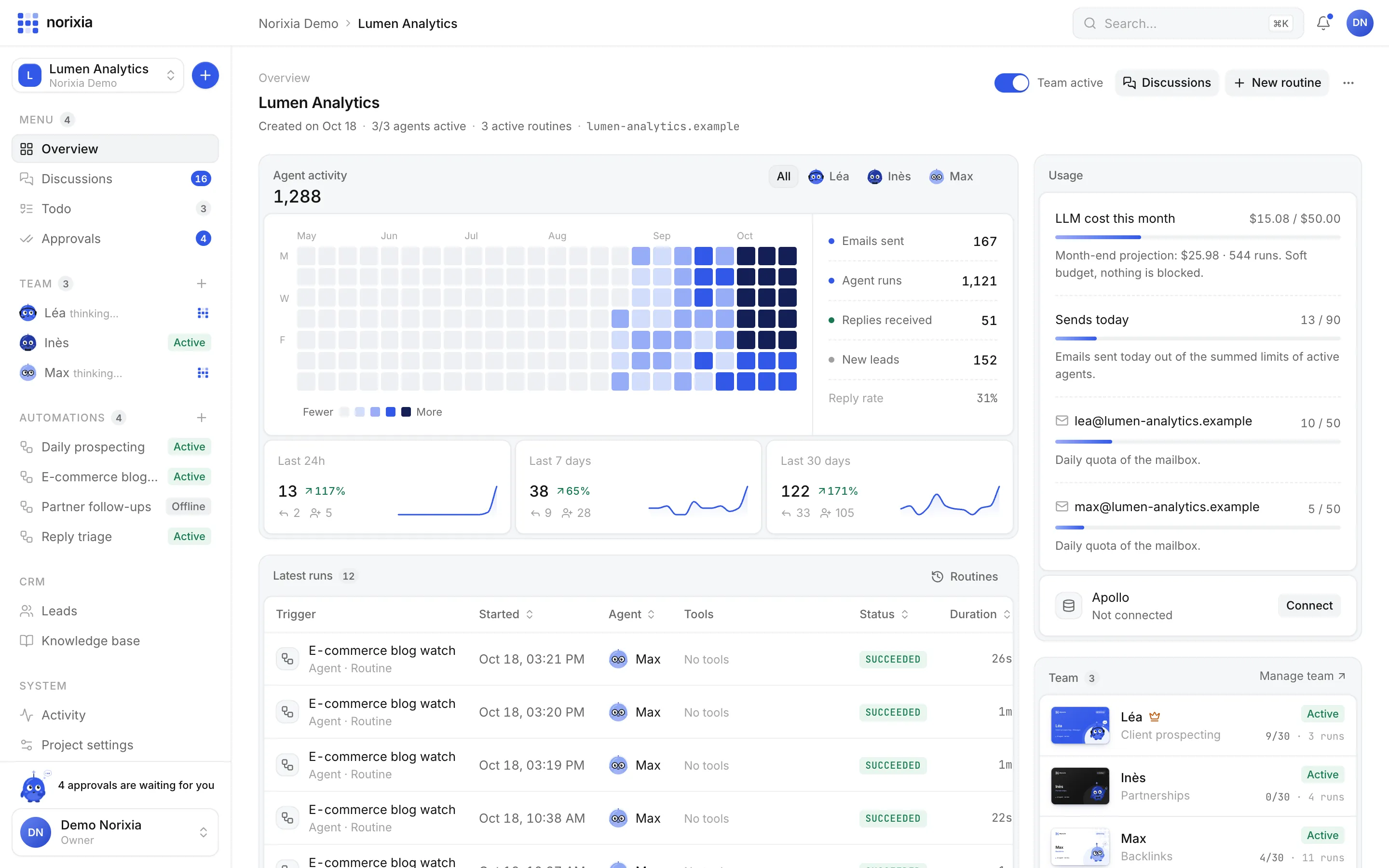
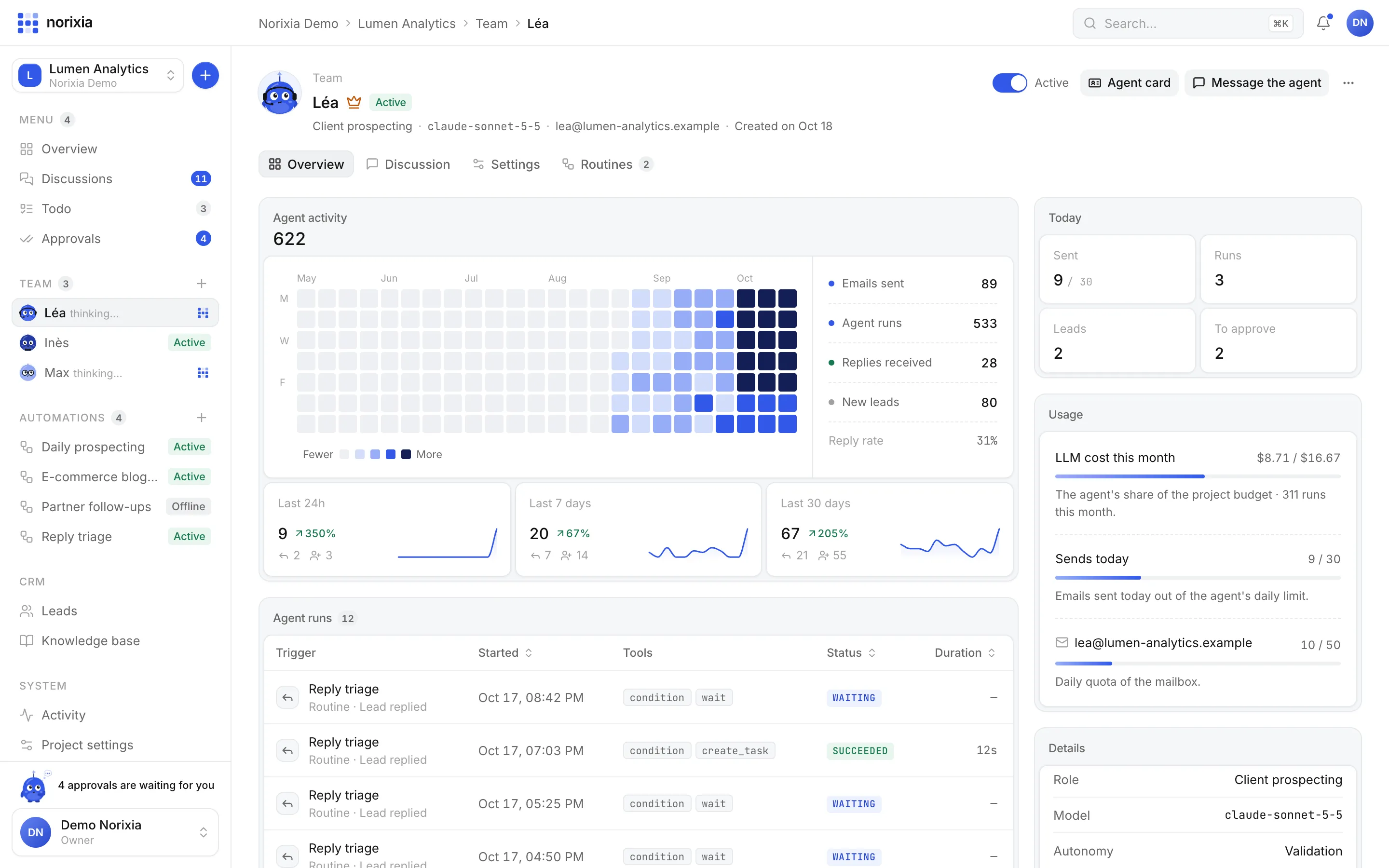
Heatmap, KPIs, usage and the latest runs of the whole team.
Overview
Activity heatmap, KPIs by role, latest runs with their tools and durations, LLM cost against a soft budget, and today's sends against your limits. No black box.
Agent activity
0
Month-end projection: $24.50 · 516 runs. Soft budget, nothing is blocked.
Last 24 h
0 ↗ 140%
Last 7 days
0 ↗ 28%
Last 30 days
0 ↗ 189%
Everything included
CRM, inbox, task board, knowledge base and analytics. Built in, connected, and kept up to date by the team.
LEADS & PIPELINE
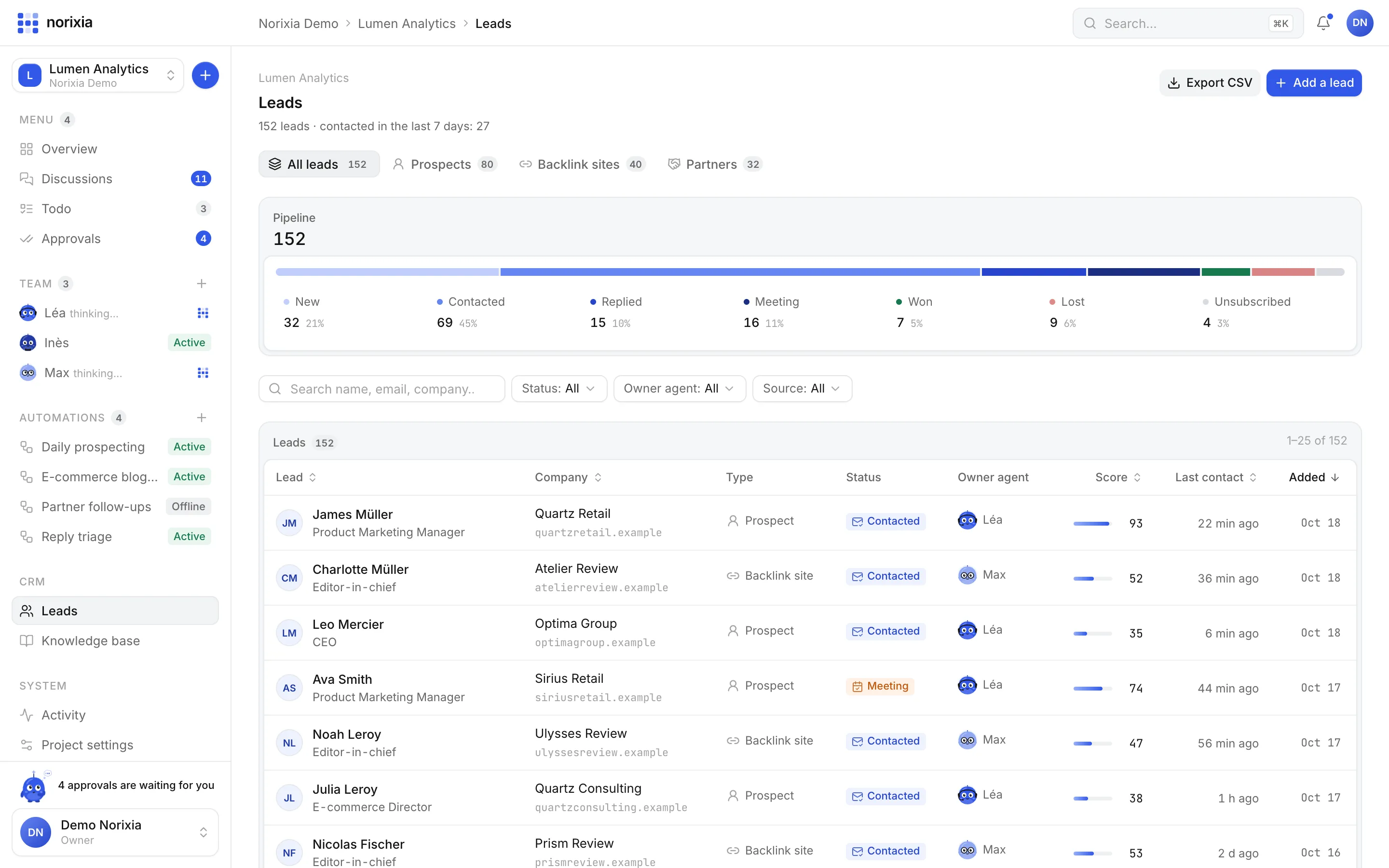
Prospects, backlink sites and partners. Seven pipeline statuses, scores, a timeline of every email, open and click. Deduplicated, exportable, importable up to 50,000 rows.
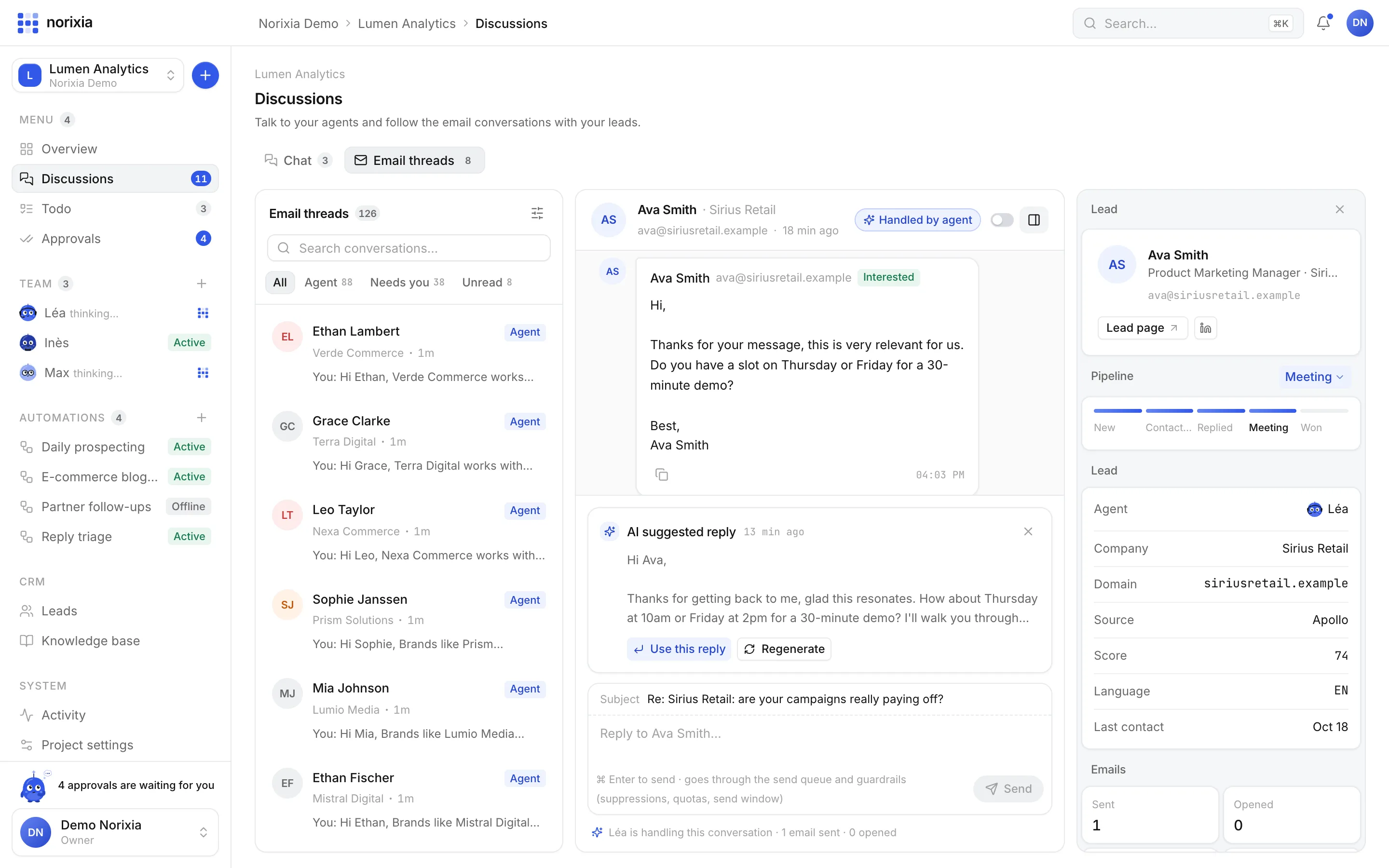
EMAIL THREADS
Interested, not now, out of office… Then a suggested reply, ready to use.
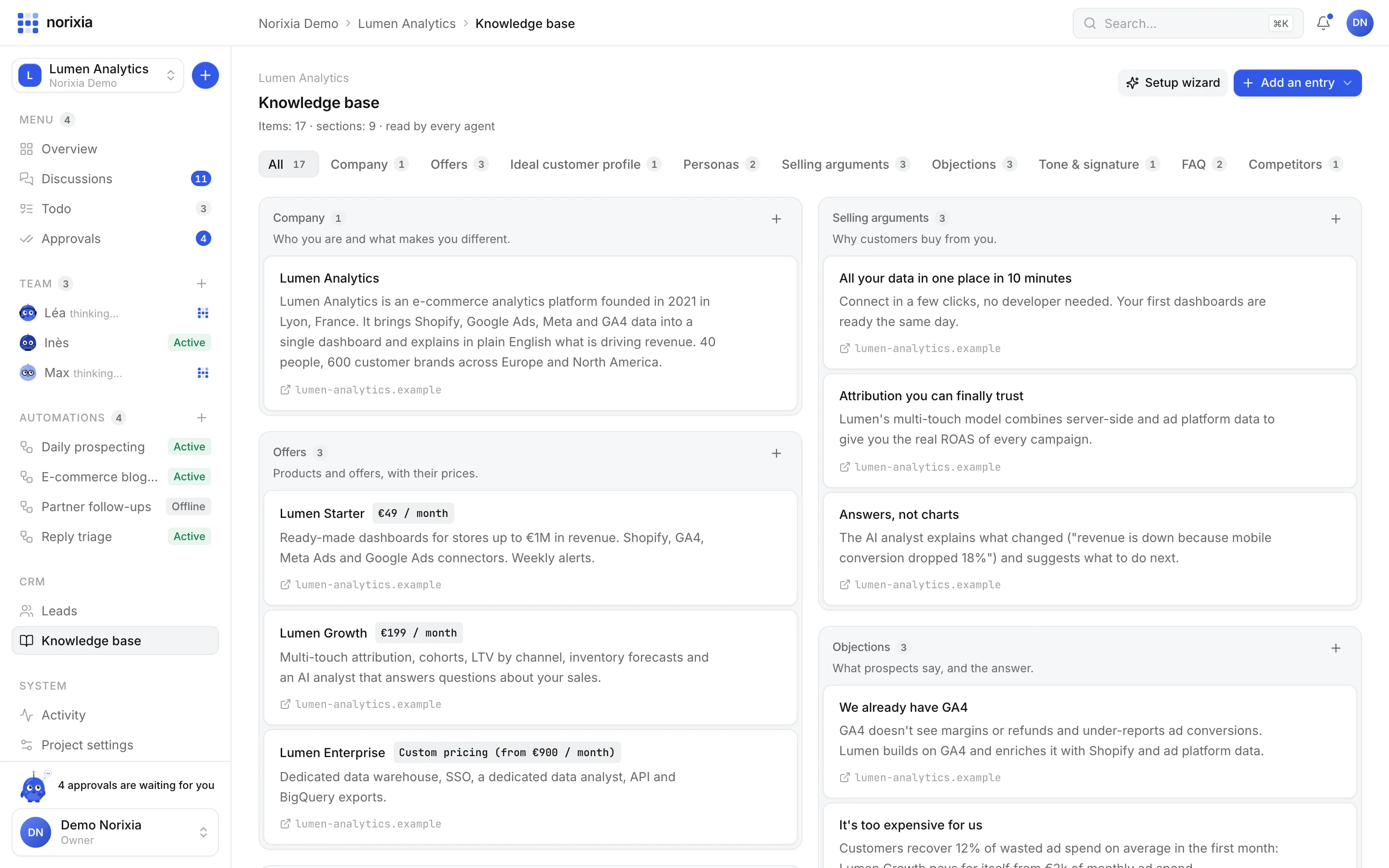
KNOWLEDGE BASE
Offers, ICP, personas, arguments, objections, tone, FAQ, competitors.
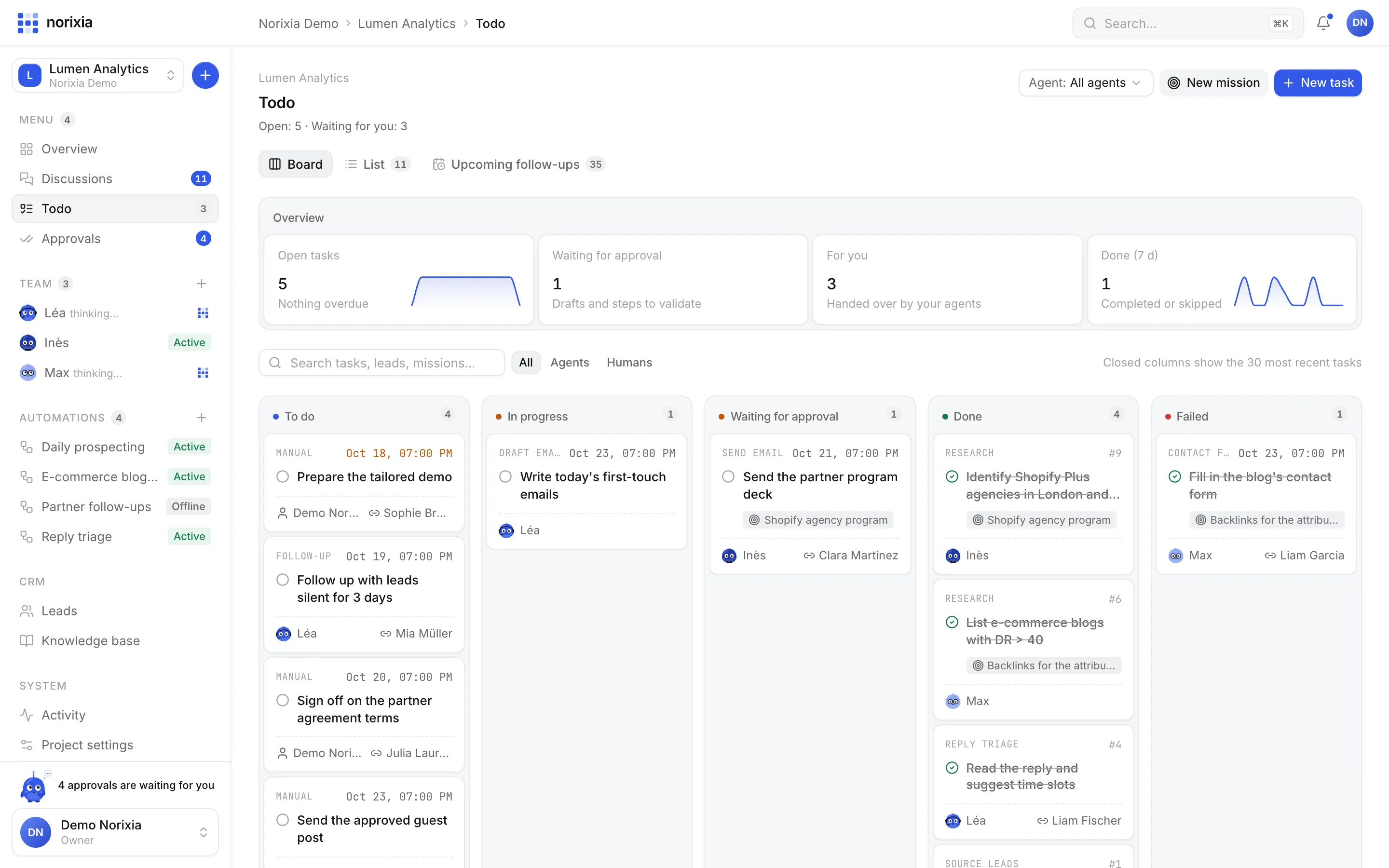
TODO
Research, drafts, follow-ups, contact forms. When an agent needs you, the task lands in “Waiting for you”.
⌘K
MULTILINGUAL
A French lead gets French, an English one gets English. The whole app speaks both.
BRING YOUR OWN MODEL
Claude via Anthropic, hundreds of models via OpenRouter, or low-cost open models. Per agent, per routine, even per step.
22:00 → 07:00
Replies get sorted, follow-ups get scheduled, routines run on time. Wake up to a summary and a short approval queue.
Integrations
Connect your providers in a minute, test the connection, and you pay them directly for what your agents use. Keys are encrypted at rest and never sent back to the browser.
Your agents think with the provider you choose, model by model.
Lead sourcing, web search and website crawling.
Apollo Available B2B data Find and enrich decision makers. Firecrawl Available Web crawling Read any website as clean markdown. Tavily Available Web search Web search built for AI agents. Your own mailboxes, sending and syncing replies.
Coming next.
 Pipedrive Soon CRM Push meetings into your pipeline.
  Lemlist Soon Outreach Bring your existing sequences.
 Developers
Create projects, hire agents, push leads, publish routines and approve drafts from code. Or hand an API key to an AI assistant and let it set up the workspace for you.
# Hire an agent from a script, or from your AI assistant
curl -X POST https://app.norixia.com/api/v1/projects/1/agents \
  -H "Authorization: Bearer nrx_live_…" \
  -H "Idempotency-Key: 6f1c…" \
  -d '{
    "name": "Léa",
    "role_type": "client_prospecting",
    "llm_model": "claude-sonnet-5-5",
    "autonomy": "validation",
    "daily_email_limit": 30
  }'
From the blog
FAQ
Something else on your mind? Ask Nori in the app, or write to us.
Norixia is an AI revenue team. Each of your projects (a brand or a website) gets its own team of AI agents that source leads, write and send personal emails, follow up, sort replies, land backlinks and build partnerships. You talk to them in a chat, approve their drafts and watch everything in one dashboard.
Only if you let them. Every agent starts in Validation: each email waits in the Approvals queue. Switch an agent to Autopilot when you trust it, and it sends on its own within quotas and sending hours. A routine step can still force “Always ask for approval”.
Every email goes through EmailGuard: suppression list, lead status, cross-agent dedup, per-mailbox and per-agent quotas, warmup, sending window and random spacing between sends. Unsubscribe is one click with a List-Unsubscribe header, and bounces are suppressed automatically.
You choose, per agent, per routine or even per step: Claude models through Anthropic, hundreds of models through OpenRouter, or low-cost open models like Llama, Qwen and DeepSeek. Any model id from your provider works.
Yes, Norixia is bring-your-own-keys: you plug in your LLM provider and, if you want, Apollo, Firecrawl and Tavily. Keys are encrypted at rest and never sent back to the browser. You only pay your providers for what your agents use, and a soft monthly budget keeps an eye on LLM costs.
Gmail through Google OAuth, or any mailbox over SMTP/IMAP. Replies are synced every 5 minutes and classified by the AI: interested, not now, not interested, unsubscribe, out of office.
Yes. The REST API covers the whole app (189 operations, OpenAPI spec) with scoped API keys, and over 30 webhook events are signed with HMAC-SHA256. HubSpot, Pipedrive and Lemlist integrations are on the roadmap.
About 2 minutes. Paste your website URL: Nori reads your key pages, pre-fills your knowledge base, you review it, then you hire your starter team in one click.
Set up your workspace and hire your first agents in minutes. No credit card needed.