Routines
Your outbound playbook, on autopilot.
Draw your outbound once on a visual canvas. Norixia really executes the graph: waits are resumed by the scheduler, conditions are evaluated, and every run is logged step by step.
Add a step
- Trigger
- Agent task
- Source leads
- Send an email
- Wait
- Condition
- Follow-up
- Create a task
- End
Every weekday
Mon–Fri at 09:00
Find 10 DTC brands
Up to 10 new leads · Apollo
First email
80 words max, one insight
Wait 3 days
Business days only
Has replied?
The lead replied
Book the demo
Offer 3 time slots
Bump
Polite, adds one new angle
Run #1042
RUNNINGLast 1h
3
24h
41
Success
98%
Building blocks
Nine steps to describe any playbook.
Drag them from the palette, link the outputs, configure the selected step in the inspector. Save a draft, test it, publish.
Trigger
Starts the routine: schedule, reply, new lead, bounce or manual.
Agent task
Free instructions for an agent, with the model of your choice.
Source leads
Apollo or the web, with an ICP in plain English plus filters.
Send an email
A personal email written from your knowledge base.
Wait
Minutes, hours or days. Business days only if you want.
Condition
Branch on replies, opens, lead status or an AI yes/no question.
Follow-up
Bump, value or breakup. Stops as soon as the lead replies.
Create a task
Hand something to a human, with a due date.
End
Close the run as a success or a failure.
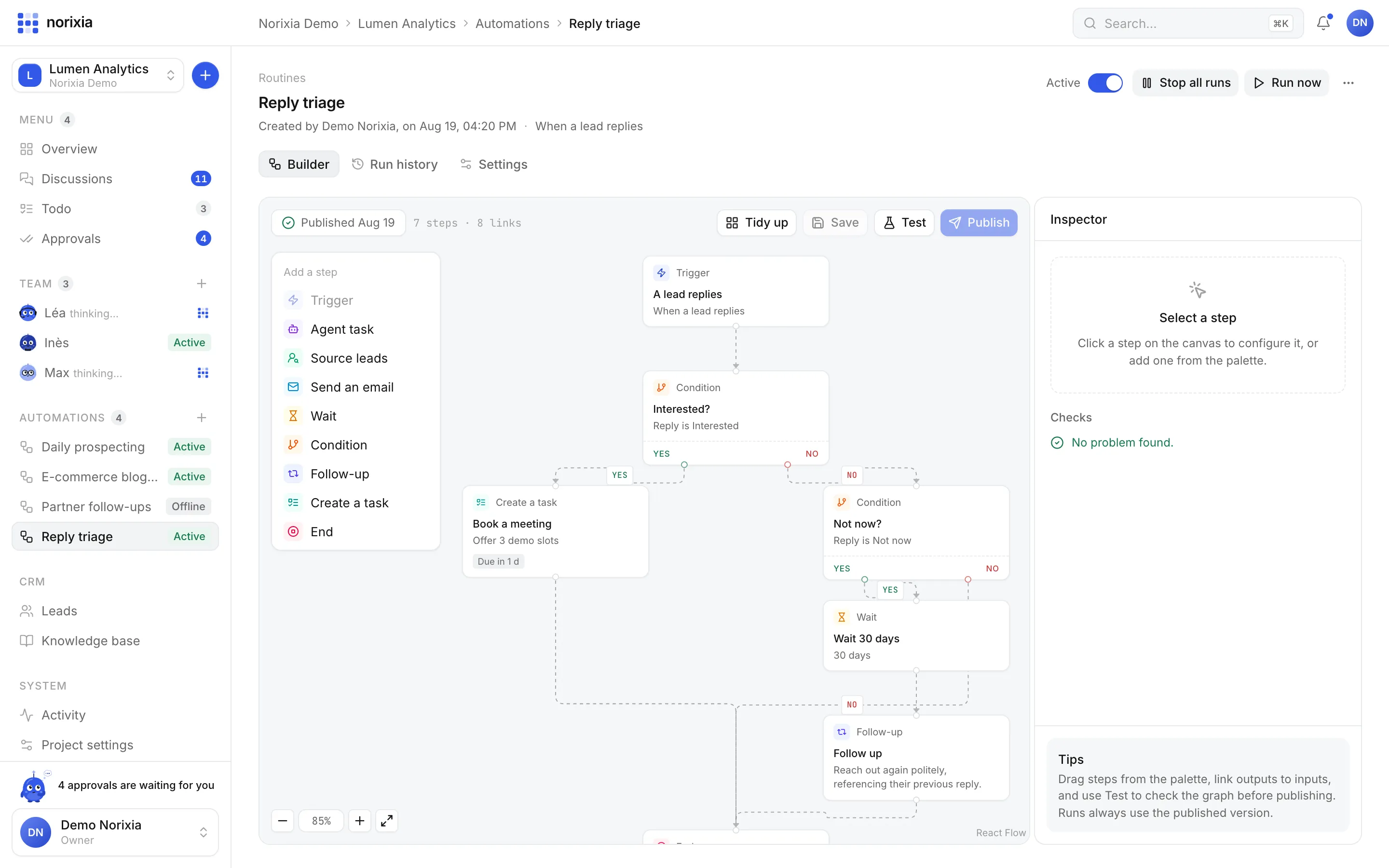
Reply triage
Branch on what the lead actually said.
Replies are classified by the AI: interested, not now, not interested, unsubscribe, out of office. Route each one to the right next step automatically.
- Interested → create a task to book the demo
- Not now → wait 30 days, then follow up
- Unsubscribe → suppressed, never contacted again
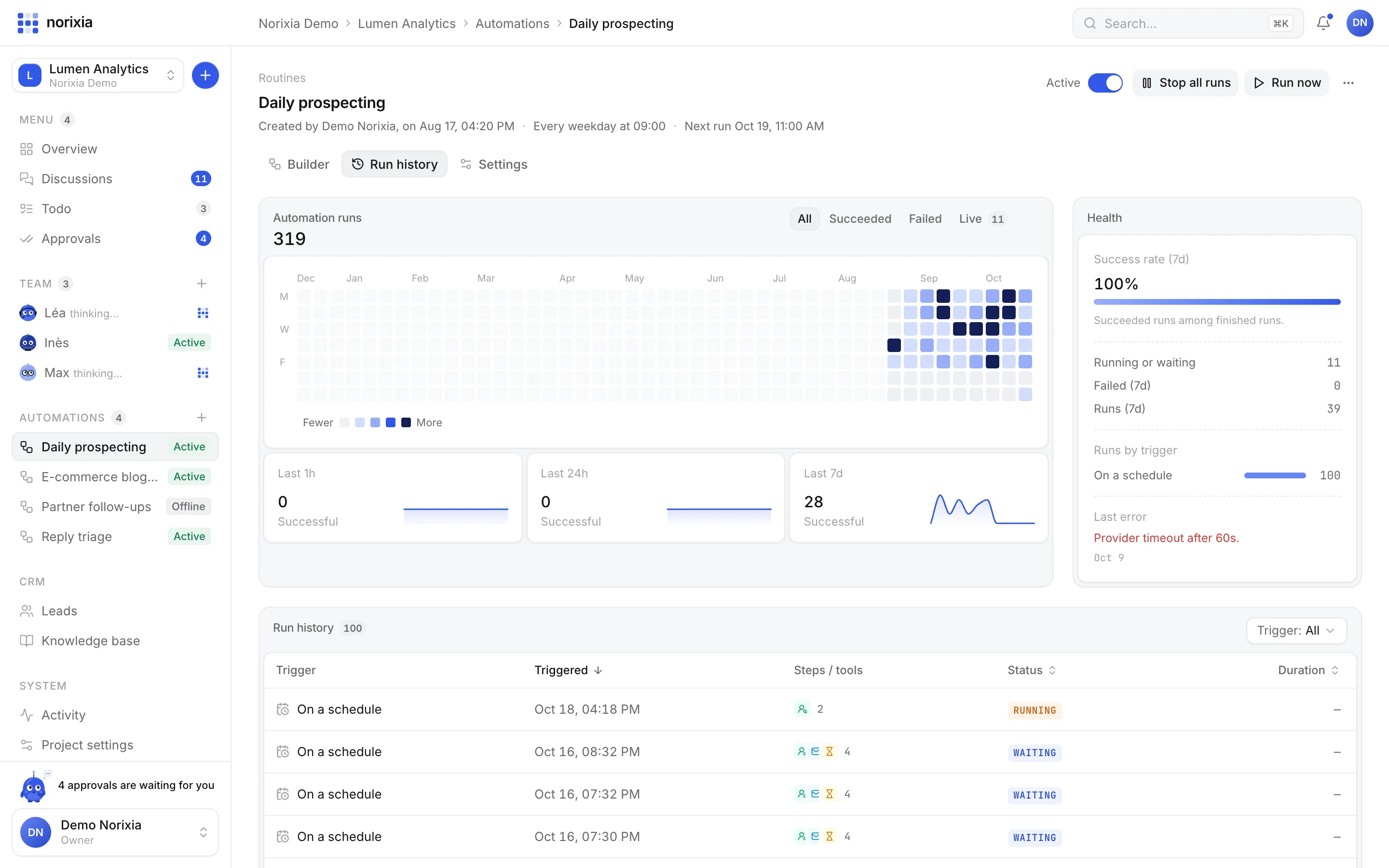
Run history
Every run, every step, every token.
A heatmap of runs, success rate over 7 days, runs in the last hour, day and week, and a table of runs with the detail of each step: duration, tools, tokens and cost.
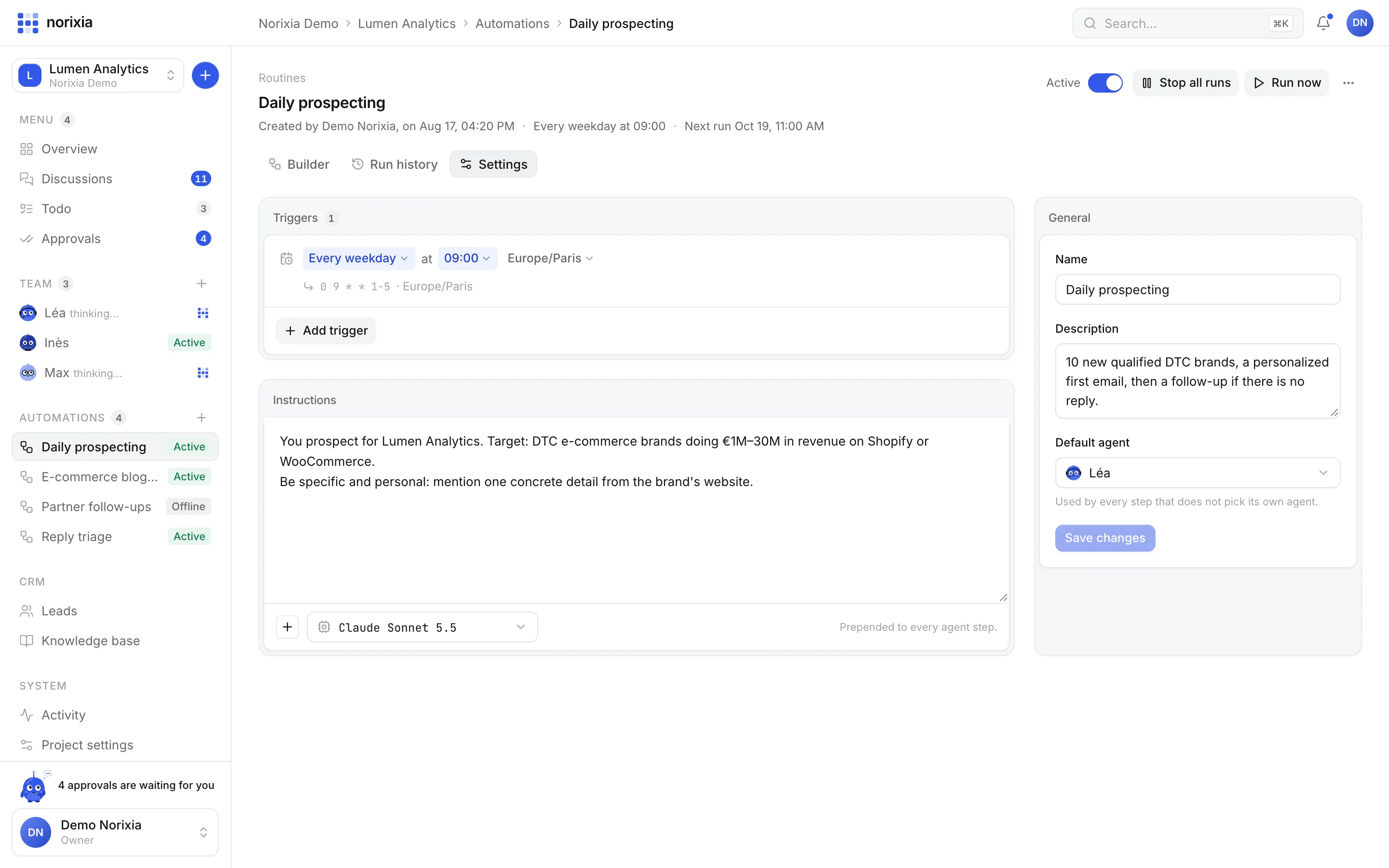
Settings
Triggers you can read like a sentence.
“Every week on Mon–Fri at 09:00”, “When a lead replies”, “When a lead is created”. Pick the agent, the model and the instructions. A step can always ask for approval, even on autopilot.
Templates
Start from a proven routine.
TEMPLATE
Daily prospecting
Every weekday: find 10 new qualified leads, send a personal first email, then follow up after 3 business days without a reply.
TEMPLATE
Follow-up D+3
Gently follow up with every lead who did not reply within 3 business days.
TEMPLATE
Reply triage
When a lead replies: interested → book a meeting; not now → wait 30 days and follow up.
TEMPLATE
Backlink hunt
Every Monday, find 5 sites in your niche and pitch them a guest post.
TEMPLATE
Blank routine
Start from a trigger and draw your own playbook.
Schedule a routine. Your agents work while you sleep.
Set up your workspace and hire your first agents in minutes. No credit card needed.